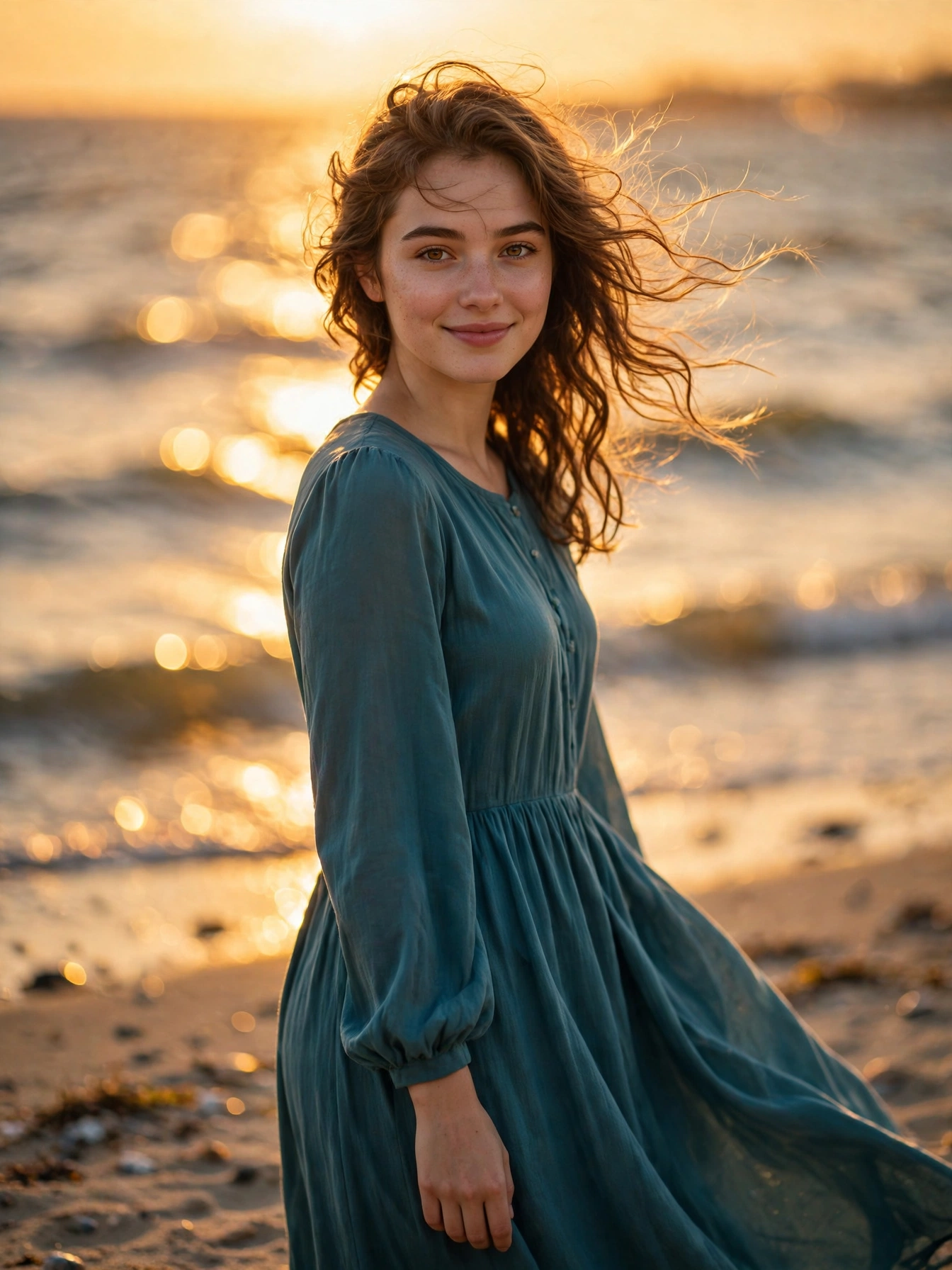

The Prompt — Copy and Paste
Create an ultra-realistic portrait of me from my uploaded photo. Preserve my exact facial identity, hairstyle and skin tone — my face must stay exactly the same. Show me standing on a sandy beach at sunset, golden sunlight glowing on the sea behind me, a gentle sea breeze moving my hair. I wear a modest long flowing teal dress with full sleeves. Soft happy smile, looking at the camera, warm golden light on my face. Shallow depth of field, golden sunset bokeh over the ocean, sharp focus on my face, professional DSLR look, warm cinematic colours, vertical 3:4, ultra HD 4K detail.
Few photos feel as dreamy as a beach portrait at sunset. Golden light on the sea, a soft breeze in your hair, and the whole sky turning warm orange behind you — it looks like a scene from a film. You do not need a beach trip, a sunset wait, or a professional photographer to get this look. One clear photo of yourself and the ready-to-copy prompt below is all it takes.
This prompt is made for girls who want a warm, decent and beautiful seaside portrait for Instagram, Facebook or a WhatsApp DP. The outfit stays modest and fully covered, the mood stays calm and golden, and your real face stays exactly the same. Copy the prompt, add it to your photo, and let the AI build the sunset around you.
How to Use This Prompt
- Open the ChatGPT app or the Gemini app on your phone.
- Upload a clear photo of yourself. Choose one where your face is fully visible, the light is good, and you are not wearing sunglasses.
- Now put the full prompt above in with your uploaded photo.
- Send it and wait a few seconds while the AI creates your portrait.
- Download the photo in full quality and share it wherever you like.
If the face looks different from yours, try again with a sharper, closer photo. A clear photo taken in daylight almost always gives the best result.
Why This Prompt Works So Well
The face-protection line at the start does the heaviest work in this whole prompt. It asks the AI to leave your face, hairstyle and skin tone untouched. Without that line, the AI often creates a new face that looks like a stranger. With that line in place, the picture still shows your own face — just the beach, the light and the dress are different.
The second secret is the golden sunset itself. Warm light on the sea turns the whole background into soft glowing bokeh, and that glow makes your face stand out brightly in the middle of the frame. That contrast is exactly why beach sunset photos feel so warm and dreamy.
The third secret is the gentle movement. A sea breeze moving your hair and a long flowing dress moving slightly — these small living details make the photo feel like a real moment by the sea, not a stiff pose against a plain background.
Make It Your Own — 3 Easy Variations
- Change the dress colour: Replace “long flowing teal dress” with “long flowing coral dress” or “long flowing white dress” for a different seaside mood.
- Change the time: Replace “at sunset” with “at sunrise” for a softer, fresher version of the same beach scene.
- Change the background: Replace “golden sunlight glowing on the sea” with “soft waves rolling on the shore” for a calmer, more peaceful feel.
Change only one thing at a time. If you change everything at once, you will not know which change made the photo better.
Turn This Photo Into a Short Video
A still photo is lovely, but a short moving clip gets far more views. Once your beach photo is ready, open your favourite AI video app, upload the photo and use a simple prompt like “gentle sea breeze, soft waves in the background, very slow camera movement”. Keep the movement slow and soft — fast movement ruins a calm seaside mood. A 5-second clip like this works perfectly as an Instagram reel or a Facebook story.
Tips for a Better Result
- Use a photo where your face is straight and easy to see. Blurry or very dark photos give weak results.
- Generate the photo two or three times. Small details change on every try, and one version is usually clearly the best.
- Keep the outfit modest and fully covered. The prompt is written that way on purpose, and it also keeps the photo safe to share anywhere.
- Do not touch that face-protection line at the start. It is what keeps your real face safe in the final photo.
- If the background looks too busy and distracts from your face, add the words “soft blurred background” to the prompt and generate again.
More Prompts Like This
If you like warm evening moods, also try our Rainy Evening Cafe Window Portrait Prompt for Girls — the same face protection with cozy lights and a rainy window. And if you like soft garden scenes, our Soft Pink Garden Portrait Prompt for Girls gives you a pink floral look with the same protection.
New prompts are added on Trends Prompt every day for girls, boys, couples and festivals. Save this page and come back tomorrow for a fresh prompt.