
From the photo I uploaded, create an ultra-realistic portrait of me. My own face stays exactly the same — same features, same hairstyle, same skin tone, nothing changed. I stand on a rooftop terrace dressed for Eid evening, warm golden fairy lights and glowing lanterns all around me, a crescent moon in a dusky purple sky, smiling gently at the camera. My dress is a modest long emerald green festive dress with full sleeves, with a matching dupatta. The background melts into warm golden bokeh, my face stays tack-sharp, the finish looks like a real DSLR shot, colours rich and festive, tall 3:4 portrait, ultra HD 4K quality.
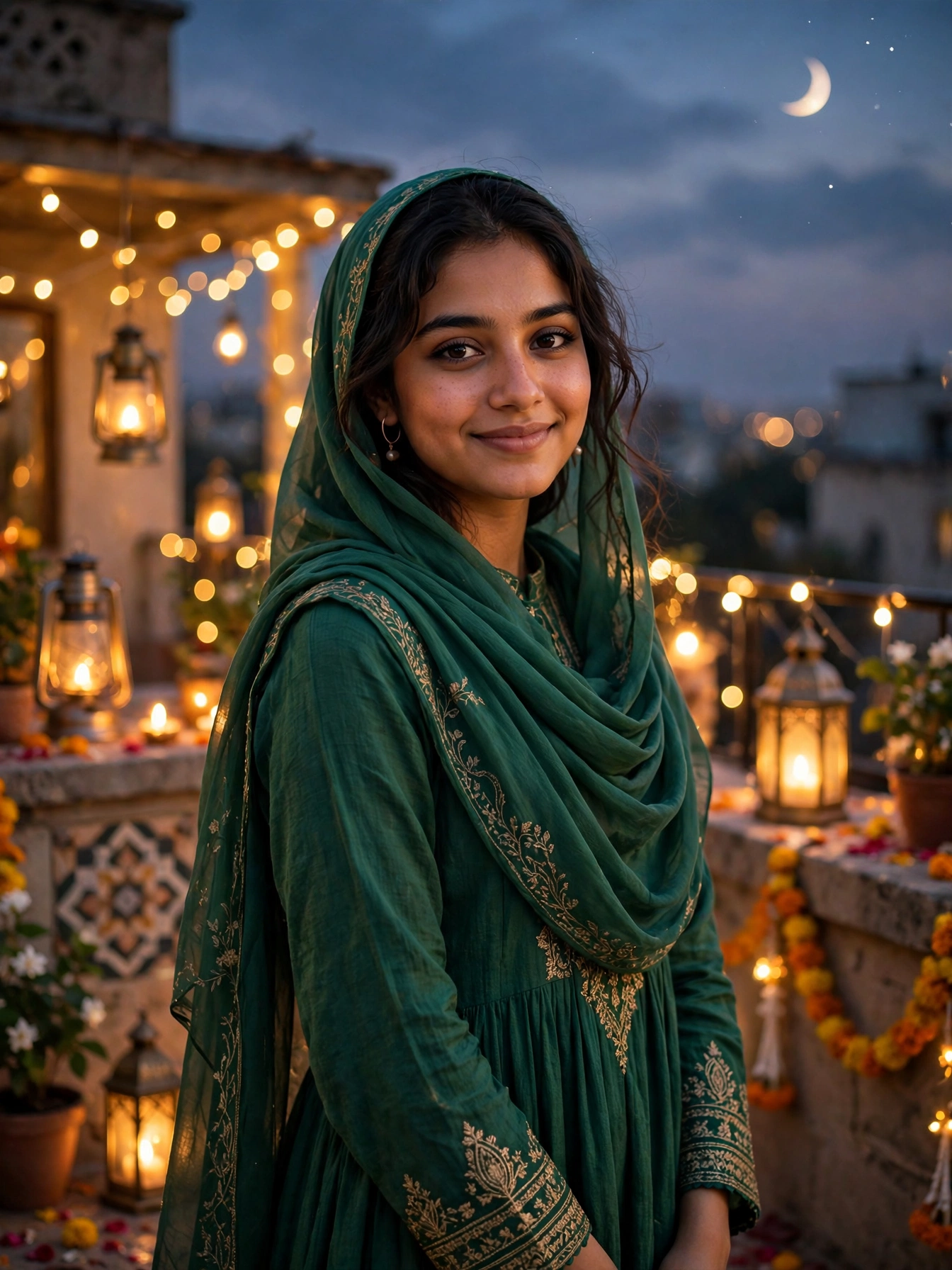
Eid evening has a magic that no other evening of the year can match. The house is clean, new clothes are ready, the rooftop is decorated with fairy lights, and the crescent moon hangs in a soft purple sky. It is the one evening when everyone wants a beautiful photo — for family, for friends, and for a profile picture that feels truly festive.
A rooftop full of golden lights, a green festive dress, and a crescent moon above — that is the whole scene waiting inside the prompt below. One clear picture of yourself is enough. The AI keeps your face as it is and builds the celebration around you, so you get a festive portrait without a photographer, a studio, or waiting for the perfect light.
Getting Your Photo
Open ChatGPT or Gemini on your phone and upload one bright, clear picture of yourself — face fully visible, no sunglasses, nobody else in the frame. Then paste the prompt above with your picture and send it. In a few moments the AI returns your Eid portrait. Save it at full quality and share it wherever you like. When the face comes out wrong, a brighter and closer picture of yourself almost always fixes it, because a sharp daylight photo gives the AI the clearest face to work with.
Why the Scene Works
Three things carry this picture. The opening sentence of the prompt locks your face in place, so the finished image still shows you while everything else changes. The fairy lights do the second job: warm golden lights glowing all around you wrap the portrait in a soft festive frame, and the gentle blur behind you lets your smile shine through. And the crescent moon, small as it is, tells the whole story of the night at a glance — the picture stops looking like any decorated terrace and starts feeling like a real Eid night. The lanterns add one more layer of warmth: their soft amber glow falls gently on the terrace floor and on the edges of your dress, so the whole frame feels lit from within rather than flashed from outside.
Three Ways to Change It
- Dress colour: try “deep maroon festive dress” or “royal blue festive dress” instead of emerald green, and the whole mood shifts.
- Place: try “a beautiful courtyard strung with fairy lights” instead of a rooftop terrace, for a warmer, homelier feel.
- Hour: try “Eid night under a starry sky” instead of Eid evening, for a deeper, more magical glow.
Tweak just one thing per attempt. When everything changes at once, it gets hard to tell which tweak improved the picture.
From Still Photo to Short Clip
Your finished picture can move too. Upload it to your favourite AI video app and ask for “fairy lights twinkling softly, lanterns glowing gently, very slow camera movement”. Slow, gentle motion suits a festive evening best, and a five-second clip like this makes a lovely Instagram reel or Facebook story — a beautiful way to wish everyone Eid Mubarak.
Before You Share It
Start with a picture where your face points straight at the camera and is easy to see, since dark or blurry pictures give weak results. Make the portrait two or three times, because details shift slightly on every attempt and one version usually stands out clearly. Keep the outfit modest and fully covered — the prompt is written that way on purpose, and it keeps the picture safe to share anywhere. Never drop the face-protection line at the start, because that line is what guards your real face in the finished picture. And when the background feels crowded and pulls attention from your face, add “soft blurred background” to the prompt and try once more.
More Prompts Like This
When festive lights appeal to you, our Christmas Fairy Lights Portrait Prompt offers the same face protection with winter lights and a cosy evening glow. When soft flower scenes appeal to you, our Cherry Blossom Spring Park Portrait Prompt for Girls gives a dreamy pink look with the same protection. Fresh prompts land on Trends Prompt every day, so save this page and return tomorrow for the next one.