
From the photo I uploaded, build an ultra-realistic portrait of me. My face, hairstyle and skin tone stay exactly as they are — my face is never redesigned. I take a stylish mirror selfie on a neon-lit city street at night, colourful pink and blue neon signs glowing behind me, a wet street with soft reflections, smiling with confidence at the camera. I wear a modest long black outfit with full sleeves. The background melts into vibrant neon bokeh, my face stays tack-sharp, the finish looks like a real DSLR shot, colours bold and electric, tall 3:4 portrait, ultra HD 4K quality.
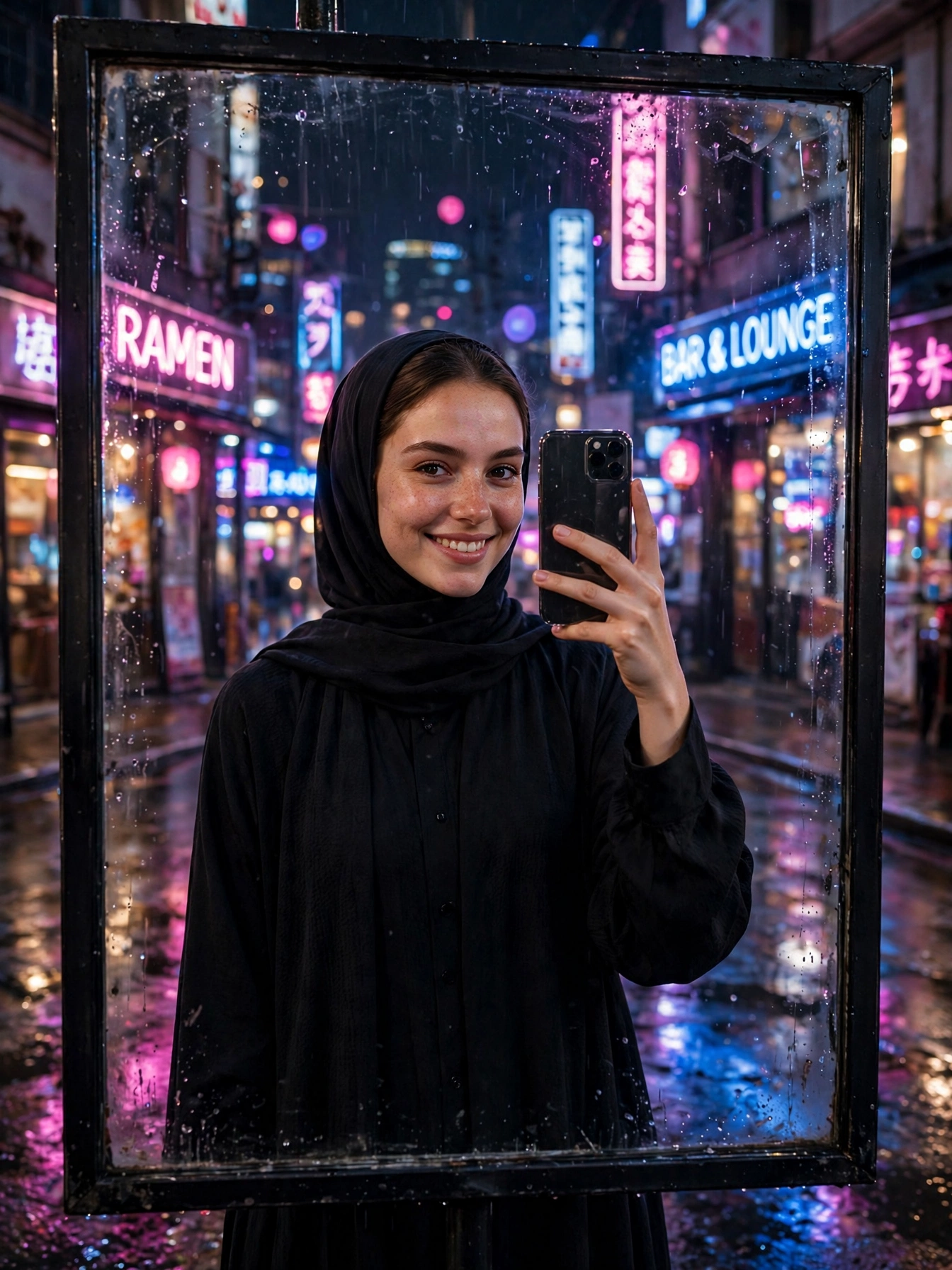
Right now, few photo styles travel faster online than a mirror selfie taken on a neon street after dark. Pink and blue neon signs glow all around, the wet street shines with reflections, and the whole scene looks like a frame from a movie. It is bold, stylish and made for social media — the kind of photo that stops people from scrolling.
The prompt underneath recreates that night-time glow around a single photo of you. A modest black outfit, neon signs glowing pink and blue, a wet street shining under your feet. You stay you throughout — the city lights and the night are the only things that change. No late-night trip, no neon district needed — just the picture.
Getting Your Photo
Begin by opening ChatGPT or Gemini on your phone. Choose a bright, clear selfie where your whole face shows, with no shades on and nobody else beside you. Attach the prompt above to that photo and send them together. Give the AI a few seconds to paint your portrait, then keep the result at the best quality and post it anywhere. When the face looks unlike yours, try a brighter, tighter shot of yourself — a crisp photo taken in daylight works best.
Why the Scene Works
Neon does the heavy lifting here. Pink and blue signs behind you pour colour into the frame and give the photo a modern, viral energy, while the soft neon blur makes your confident smile pop. Bright colour against a dark night is exactly why neon portraits grab so much attention.
The wet street adds the second layer. Soft reflections on the pavement mirror the neon light and give the whole scene a cinematic shine, so the picture feels like a real city night rather than a plain background. And the first line of the prompt guards your identity — it tells the AI to keep your face as it is, so the finished picture still shows you; the neon signs, the street and the night are the fresh elements.
Three Ways to Change It
- Outfit colour: try “long dark navy outfit” or “long deep maroon outfit” instead of black, for a different night mood.
- Neon palette: try “purple and orange neon signs” or “green and pink neon signs” instead of pink and blue, for a fresh viral look.
- Spot: try “a neon-lit shopping mall entrance at night” instead of a city street, for a softer, everyday version.
One tweak per attempt is the golden rule. Change too much at once and you lose track of what worked.
From Still Photo to Short Clip
Your finished picture can move too. Upload it to your favourite AI video app and ask for “neon signs flickering gently, soft reflections shimmering on the wet street, very slow camera movement”. Gentle motion suits a night scene best, and a five-second clip like this works beautifully as an Instagram reel or a Facebook story.
Before You Share It
Begin with a photo in which your face looks straight at the lens and shows clearly, because dark or fuzzy pictures rarely turn out well. Make the portrait two or three times, because details shift a little on every attempt and one version usually stands out. Keep the outfit modest and fully covered — the prompt is written that way on purpose, and it keeps the photo safe to share anywhere. Leave the opening line that protects your face exactly where it is — it is the guard that keeps your real face intact in the finished picture. Should the backdrop feel crowded and pull the eye away from you, add the words “soft blurred background” to the prompt and run it once more.
More Prompts Like This
When retro street moods appeal to you, our Retro 90s Film Camera Street Portrait Prompt offers the same face protection with a classic film-camera feel. When neon nights appeal to you, our Rainy Night Neon Portrait Prompt for Boys gives a glowing rainy street look with the same protection. Fresh prompts land on Trends Prompt every day, so save this page and return tomorrow for the next one.