
The Prompt (Copy and Paste)
Copy the full prompt below. Do not change the main lines unless you want a different style. You can change the jacket colour or the background if you like, but the rest of the prompt is written to keep the photo natural and sharp.
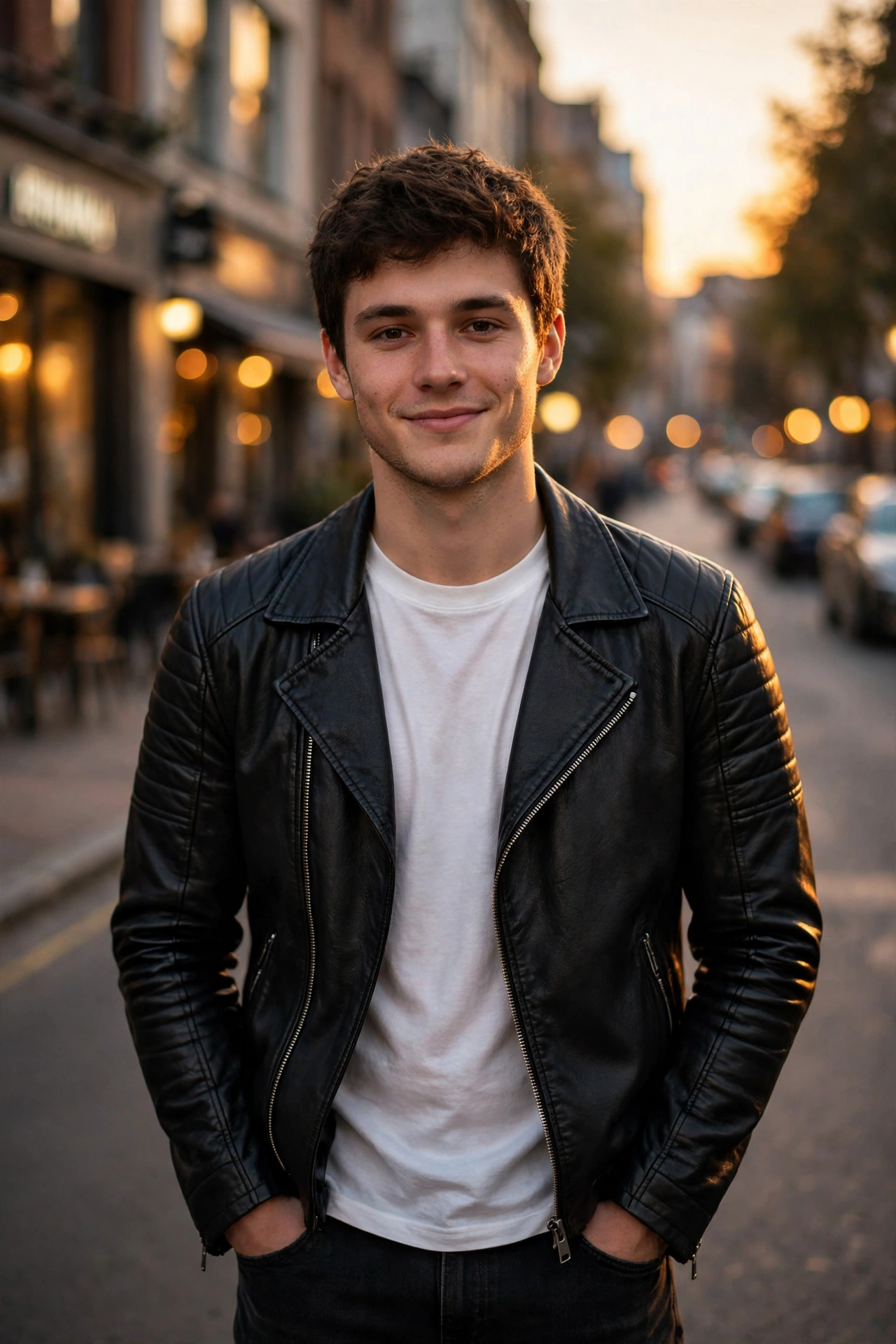
Create a cinematic portrait photo of the same young man from my uploaded photo, keeping his real face, hairstyle and body shape exactly the same. He is standing on a quiet city street at golden hour, with warm sunset light falling softly on his face. A black leather jacket sits open over his plain white tee, dark jeans below, and both hands rest inside his pockets. He is looking at the camera with a calm and confident smile. The background is a softly blurred warm-toned street with gentle bokeh lights. Use shallow depth of field, natural skin tones, and a DSLR photography look. Vertical portrait photo, sharp focus on the face.
That is the full prompt. It is short, clear, and written in simple words so that any AI photo app can understand it easily.
Introduction
A golden hour photo never goes out of style. The warm light of the setting sun makes any simple street photo look like a professional shoot, and the best part is that you do not need a camera, a studio, or a photographer. You only need your own photo and the prompt below.
In this post, you will get a ready-to-copy prompt that turns your normal photo into a stylish golden hour street portrait. We also made an example photo with this exact prompt so you can see the result before you try it yourself. Just copy the prompt, paste it with your photo, and your new picture will be ready in a minute.
Example Photo Made With This Prompt
The photo below was made with the same prompt written above. Look at the warm light on the face, the soft blurred street in the back, and the calm and confident pose. Your result will look similar, but with your own face, because the prompt keeps the face from your uploaded photo.
How to Use This Prompt (Step by Step)
Follow these simple steps. The full process takes only two or three minutes.
Step 1: Open an AI image app. Open ChatGPT, Gemini, or any AI photo editing app on your phone. Make sure you are signed in to your account.
Step 2: Upload your own photo. Upload a clear front-facing photo of yourself. A photo taken in daylight works best. The face should be clear, and the photo should not be blurry.
Step 3: Paste the prompt. Copy the prompt from this post and paste it in the chat box along with your photo. Then press send.
Step 4: Wait for the result. The app will take a few seconds to make your new photo. When it is ready, check the face first. If the face looks like you and the light looks warm and natural, your photo is done.
Step 5: Save and share. Save the photo in full quality. You can use it as your profile picture, post it on Instagram or Facebook, or share it with your friends.
Tips to Make Your Photo Look Even Better
A good photo starts with a good uploaded picture. Follow these tips for the best result.
Use a clear photo. If your uploaded photo is dark or blurry, the new photo will also look weak. Daylight photos give the best results.
Keep the face straight. A front-facing photo works better than a side photo, because the AI can copy your face more easily.
Change only one thing at a time. If you want a different jacket colour, change only that line in the prompt. For example, write “navy blue denim jacket” instead of “black leather jacket” and keep everything else the same.
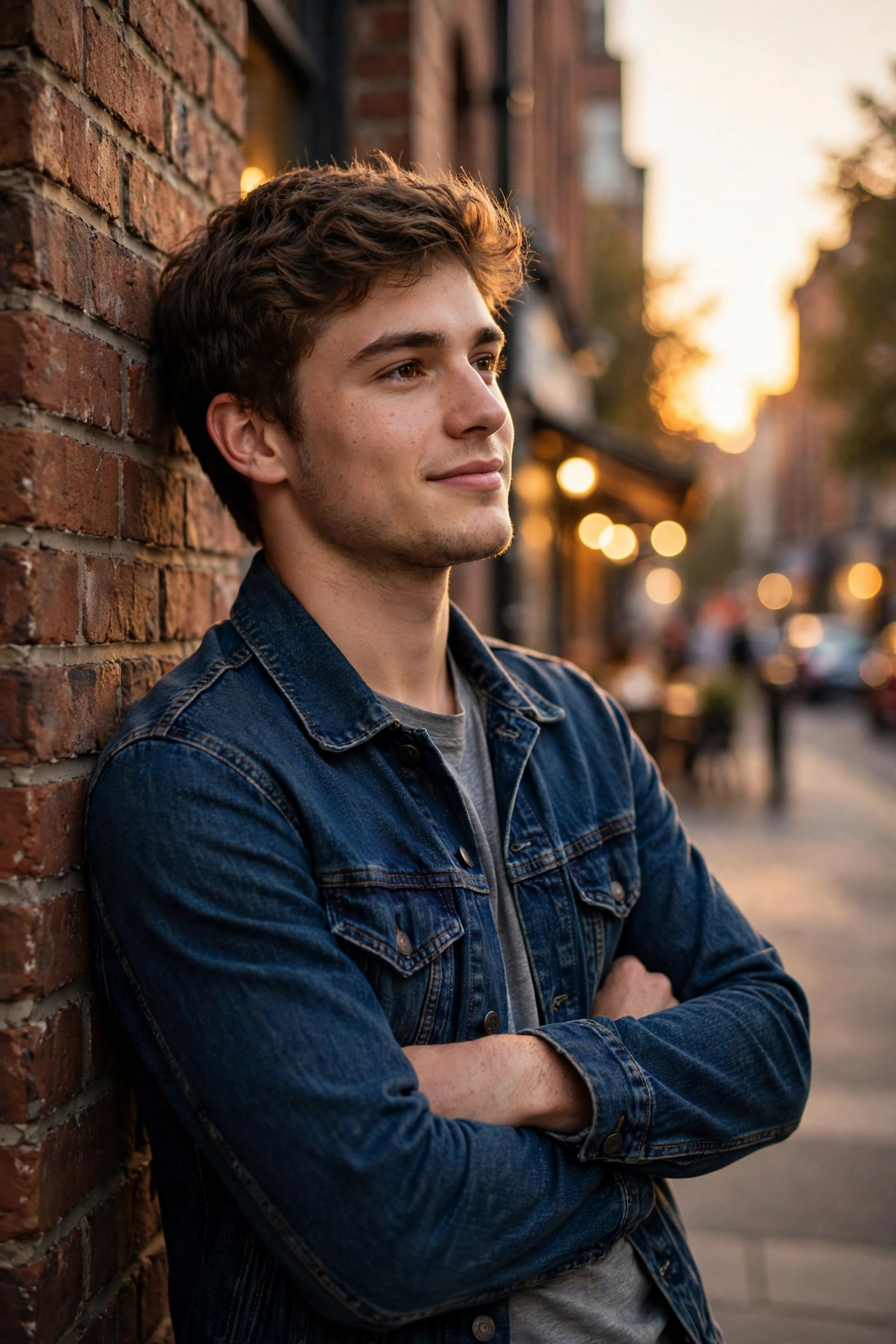
Try the wall version. If you want a second style, use the variation below. In this version, the man is leaning against a brick wall with his arms crossed, wearing a navy blue denim jacket. It gives a calm and relaxed look.
Make a Short Video From This Photo
You can also turn this photo into a short video for a reel or a status. Open the photo in CapCut or VN, add a slow zoom-in effect, and add soft background music. A five-second clip with a slow zoom looks smooth and stylish. If your app supports photo-to-video, you can also ask it to add a gentle camera movement and a warm light glow. Keep the video short, because short clips get more views.
Why This Prompt Works
Many prompts fail because they are too long or too confusing. This prompt works because it says only what matters: keep the same face, set the golden hour light, name the clothes, and name the camera style. The AI does not have to guess anything. The blurred background keeps the focus on the face, and the warm light makes the skin look natural instead of flat. That is why the result looks like a real photo and not like a cartoon.
Frequently Asked Questions
Can I use this prompt for free? Yes. You can use this prompt for free for your own photos. The apps may have their own free limits, but the prompt itself is free to copy and use.
Will the photo look like me? Yes, if your uploaded photo is clear. The prompt clearly says to keep your real face, hairstyle, and body shape the same. Always check the face after the result is made.
Can I change the clothes in the prompt? Yes. You can change the jacket, the t-shirt, or the jeans. Change only the clothes line and keep the light, background, and camera style the same, so the photo keeps its golden hour look.
Can girls use this prompt too? This prompt is written for a boys portrait, but the same golden hour idea works for anyone. Change the clothes and the pose lines to match your style, and it will work the same way.
Final Words
A stylish photo does not need a studio. With one clear photo and the right prompt, you can make a golden hour street portrait at home in a few minutes. Copy the prompt above, try it with your own photo, and see the result for yourself. New prompts are added here every day, so visit again tomorrow for the next style.
[…] you like daylight styles more than night styles, also try our Golden Hour Street Portrait Prompt for Boys — it gives a warm sunset look with the same face-identity […]
[…] you like warm daylight styles, also try our Golden Hour Street Portrait Prompt for Boys — the same face-identity protection with a warm sunset street look. And if you love night moods […]
[…] you like warm daylight styles, also try our Golden Hour Street Portrait Prompt for Boys — the same face-identity protection with a warm sunset street look. And if you love night moods […]
[…] protection with a dreamy flower garden at golden hour. And if you like warm daylight moods, our Golden Hour Street Portrait Prompt for Boys gives you a sunset street look with the same […]